

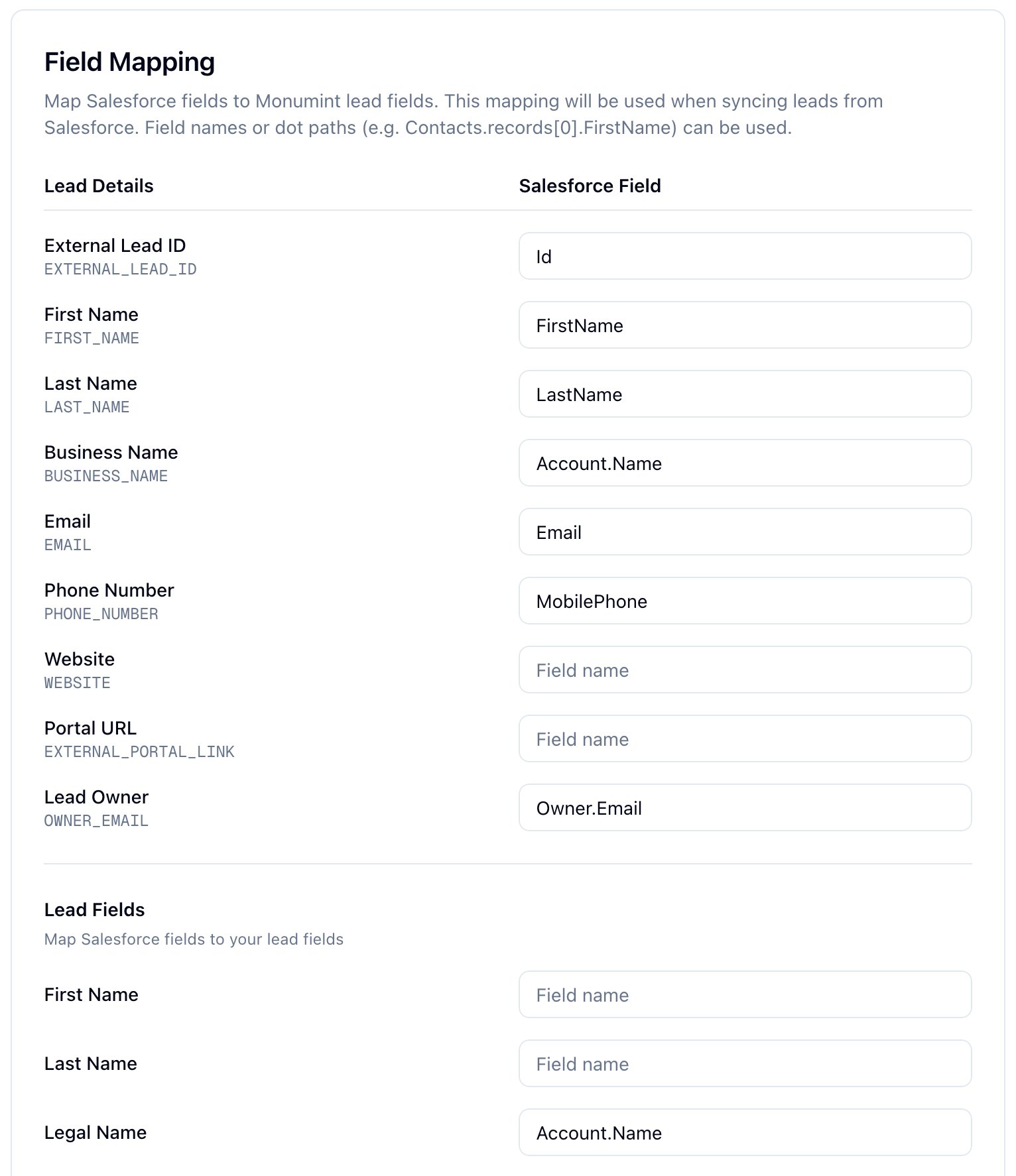
Lead details
Always map External Lead ID to
Id. Lead Owner assigns each lead to the teammate whose Monumint login email matches. Portal URL is optional. It holds the link the agent sends for applications or uploads, and when it is empty the agent uses your workflow’s portal.
Lead fields
Your workspace’s custom lead fields appear below the lead details, and you can map them to any field in the query. These mappings sync in both directions. When the agent or a teammate changes a mapped lead field in Monumint, the new value is written back to Salesforce. Write-back only works for fields on the record itself, such asRequested_Amount__c, and only if the integration user has Edit Access to them. A dot path such as Account.Name is read but never written back.